Blog

  • From Novice to WordCamp Speaker: Navigating the Journey

    From Novice to WordCamp Speaker: Navigating the Journey

    I recently attended and gave my first WordCamp talk. This post details the journey as a WordCamp Speaker.

    Are you thinking about giving a talk at a WordCamp or local meetup but don’t know where to start? Look no further! In this article, I’ll share my experience as a WordCamp speaker and give you some tips on how to prepare, apply, and give a successful talk.

    Pre-speaker preparation

    First, you need to come up with a topic. You can talk at a WordPress Meetup or WordCamp, and the audience could be specific like Developers, Managers, Business owners etc. / all depending upon the topic.

    I attended a Speaker Workshop in September 2022 and was fortunate to attend one. Special thanks to Jill Binder, the #WPDiversity Speaker Training group Lead, for her invaluable guidance throughout this journey. 😊

    It helped me to understand various structures of talks & various ways to come up with topics. Just listing out the ways here,

    • Story-based talk – A topic in which you had not succeeded earlier but now that you have tried it & have some more confidence. 
    • “How to” type talk – Pick a topic you are confident about and could lead a how-to presentation. For example, How to do remote working, How to do migrations etc. 
    • Panel discussions – Pick a topic you may not know much about but you would have good questions to be a moderator. 
    • Workshops – Pick a topic that you think you could teach to others.
    • Case study – Pick a topic that you’ve successfully worked on.

    This gave me slight relief & some ideas about where I can contribute. If you are thinking of giving a talk in WordCamp / Meetup and don’t have a topic already in mind, I request just pause reading this blog post for 10 minutes right now and write down the topics you can think of from the above formats. Try to list 2 topics for each pointer.

    Speaker application

    Identify speaker opportunity

    I hope you have one or more topics in mind. Which one is your favourite? Once you’ve chosen a topic, it’s time to apply for a speaking opportunity. You can look in your local Meetup group (just search for WordPress & your location) / nearby WordCamp. Additionally, you can subscribe to the #diverse-speaker-support slack channel. It has some amazing folks to help us out with upcoming opportunities, presentation reviews, topic pitch help, etc.

    In WordCamps specifically, I observed that some people are so passionate about WordPress that geographical boundaries don’t exist. This is something amazing & inspiring too. 😇

    My Topics

    I found the Call for Speakers at WordCamp Kerala and they were generous to give opportunities for New speakers. I applied to speak at the WordCamp with the below topics,

    1. Workshop on WP CLI 
    2. Things to consider migrating any eCommerce store to a WooCommerce store
    3. How to do remote working effortlessly – This topic was chosen.

    Apart from the Workshop, I submitted topics for 30 min talks. A 30 min talk comprises of 20-25 minutes of talk, and 10-5 mins for questions respectively. There were “Lightning talk” – 10 min talk slots that were also available. You can see existing talks on https://wordpress.tv/category/wordcamptv/ to take inspiration. 

    Topics submission

    Please make sure to state your audience properly in the submission form. At this point, your presentation may not be fully prepared but at least have some points & clarity if the talk will be sufficient to cover the required time.

    The topic submission form also contains the “Additional details” field apart from the Topic introduction. If you can specify points you would like to cover in the talk it gives clarity to yourself as well as for the organizing team to understand & evaluate your topic.

    The application result & Formalities

    The Speaker application page will have a timeline stated for application review and result shortlist. Just wait for the result.

    If your application is not selected, don’t get discouraged. I have read some stories where even though people have existing Talk experience, their topic was not selected. It could be due to another topic conflict / your topic is not fitting in the series of existing selected topics. Don’t worry just ask for feedback. Feedback helps in any given situation.

    If either of the cases of a topic is selected or not, you should receive an email. The email address is the one that is linked to your WordPress.org profile.

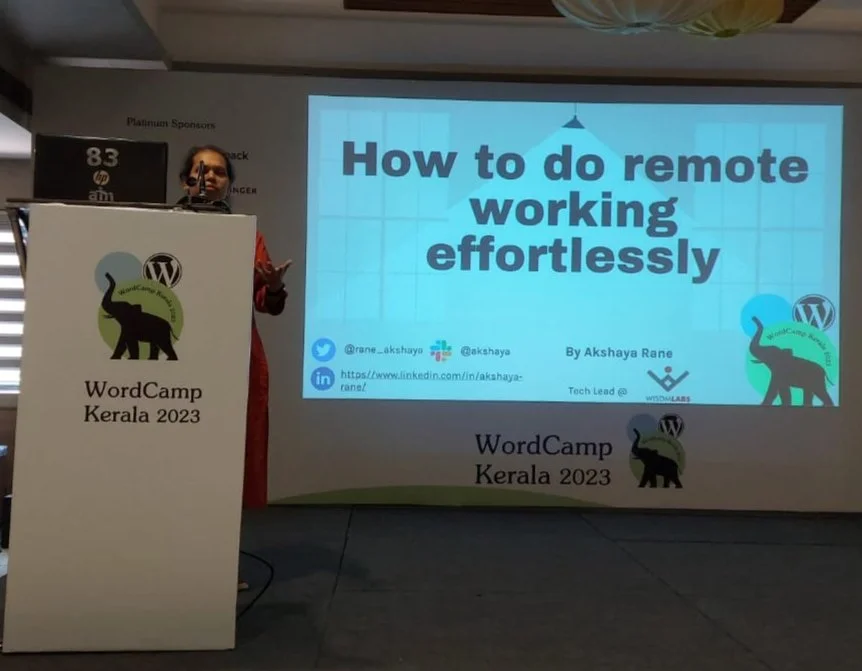
    I got an email from the WordCamp team that my “How to do remote working effortlessly” topic is selected. It’s exciting news. The team asked me to confirm my availability for the event.

    In addition, we mustn’t share the news with our network without a prior announcement on the official WordCamp website. This is a quite tough step. 😁

    Other formalities are quite basic steps,

    • Timeline to share our slides for review. ( 1 week before the actual talk).
    • Speaker travel plan form – Travel plan of arrival & departure.
    • Agreement – The speaker agrees to follow the Code of conduct.
    • A/V Release Form – Undertaking to record as official recordings and release on a platform like WordPress.tv & other. 

    That’s it. 🙌

    Actual day

    The actual day of the talk was exciting & nervous at the same time. Multiple tracks were going on at the same time. Mine was Track2 and there was some time before it started. I visited the venue and checked the setup. A volunteer helped me to add my presentation to the laptop. We just checked that the entire presentation was working fine. There is a tip 😎 from the Speaker workshop to practice in front of a mirror.

    The time arrived, and my name was announced. I paused for a minute, just trying to capture the audience. The hall was not full yet. There were Some of my friends which was a bit of relief. I followed my friend’s advice – Take a deep breath & started with the presentation talk.

    The presentation arrangement was also good. It was showing a timer with the time spent which made it easy for me to deliver the presentation on time and keep time for Questions & answers.

    The presentation started with some interactions, and some techniques points and ended with questions. People were joining in from other tracks and it was a pleasure to see the hall was full. I got some good questions from the attendees. 

    You can check all of the amazing WordCamp Kerala talks, including mine, here. You can view a summary of my talk by following this link.

    Feedback

    This is a very crucial step. It’s important to collect feedback from attendees, volunteers, and Organizers. I received good feedback and certainly, it was an amazing experience.

    I also encouraged attendees to share their experiences. This helped us all to gain more knowledge about the topic.

    When people can relate to your presentation points, have some takeaways – it was a feeling of making their time worthwhile and giving back to the community and it is amazing.

    Other Perks

    As a Speaker, you will enjoy 

    • Free ticket for WordCamp
    • Pre-Event Dinner and After Party Invitation — Dinner with Organizers, Sponsors, Volunteers, and other Speakers. 
    • “WordCamp Speaker” Badge on your wordpress.org profile

    This is my overall journey as a first-time WordCamp speaker. In conclusion, giving a talk at a WordCamp or local meetup can be a great way to share your knowledge, meet new people, and improve your skills.

    If you have already spoken in any of the WordCamp earlier, I know you must be feeling nostalgic and your journey must have gone through your eyes by reading my story. And if you’re considering speaking at a WordCamp or WordPress meetup in the future, I hope that my story has provided you with valuable insights and information that can help you along the way. Maybe we’ll even have the opportunity to meet up at a WordCamp someday! ✌🏻
  • Bengaluru WordCamp Talk – WooCommerce Subscriptions Migration

    Bengaluru WordCamp Talk – WooCommerce Subscriptions Migration

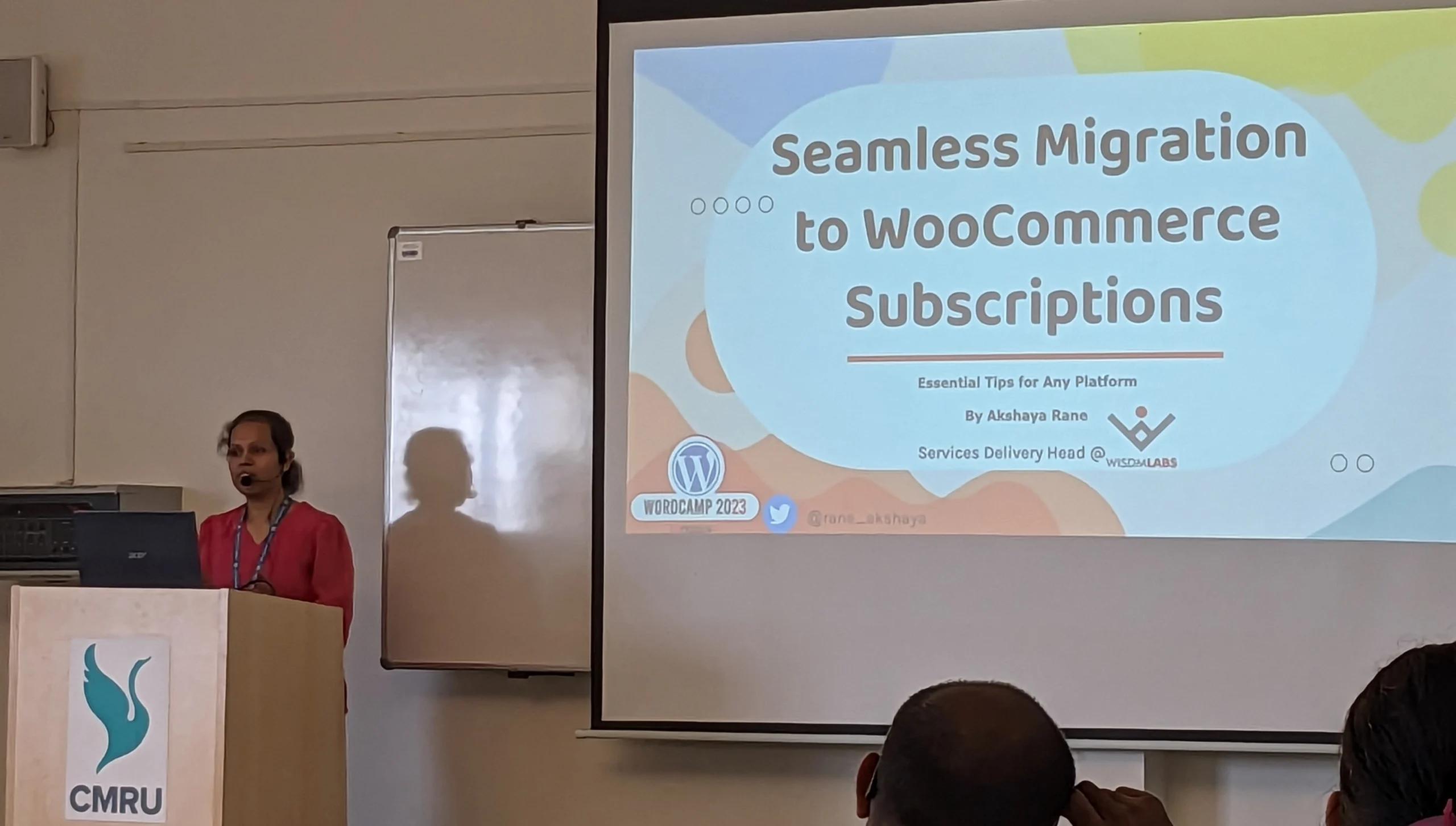
    I recently had the privilege of speaking at WordCamp Bengaluru 2023 about crucial aspects of WooCommerce Subscription migration. Titled “Seamless Migration to WooCommerce Subscriptions: Essential Tips for Any Platform,” my lightning talk focused on the vital considerations before, during, and after the migration process.

    When undertaking WooCommerce Subscription migration scenarios, it becomes imperative to take certain precautionary measures to ensure the smooth transition of recurring charges and subscriptions. A single oversight could lead to erroneous customer charges or multiple billing instances. To prevent such complications, adhering to migration standards is essential. While my talk specifically covered WooCommerce Subscriptions, you need to account for other factors when migrating from one eCommerce platform to WooCommerce, such as Technical SEO with 301 redirects and DNS migrations etc.

    Although my talk provided an overview of this expansive topic, it aimed to equip the audience with essential insights to ensure seamless WooCommerce Subscription migration. For a more comprehensive understanding of the subject, I encourage you to watch my talk here.

  • Unlocking the Power of Project Planning for Seamless Delivery

    Project planning is often overlooked, yet it plays a crucial role in the success of any software project management endeavor. In this article, we will explore the essential points that you must follow to ensure successful project delivery.

    Prerequisites

    Before diving into the project planning process, it is important to ensure prerequisites are in place. Firstly, you should have a well-defined project scope, outlining the boundaries and objectives of the project. Additionally, project feasibility should be thoroughly assessed to determine its viability within given constraints. Any assumptions related to the project should be identified and documented.

    Furthermore, it is essential to have clear project acceptance criteria defined and approved by the client. These criteria will serve as benchmarks for measuring the project’s success.

    Once these prerequisites are met, you can embark on the project planning phase, collaborating with your team members who will be involved in the project.

    WBS (Work Breakdown Structure)

    In the WBS (Work Breakdown Structure) phase, you will divide the project into phases or milestones, and within each phase, you will further break it down into smaller activities or to-do tasks.

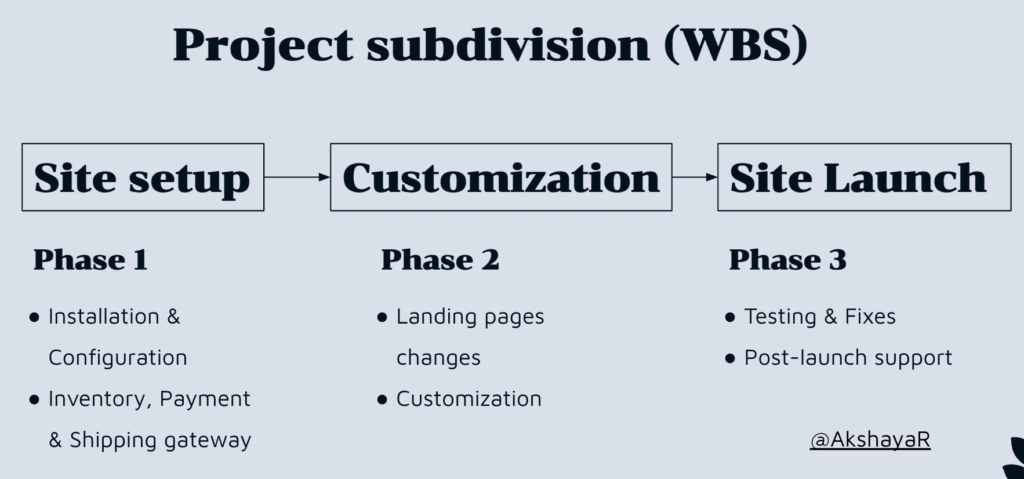
    Let’s take an example of a vendor planning to launch their eCommerce business online. The WBS for this project might look like this:

    Project - Work Breakdown Structure (WBS)

    This division will happen up to the level where further division is not possible. The lower level node can be termed as – Work Packages.

    Breaking down the project into this level of detail is crucial for effective execution and ensuring that everyone on the team has a clear understanding of the tasks involved. It provides several benefits

    • Helps understand task dependencies.
    • Identifies any ambiguities within the project.
    • Facilitates estimation of effort and cost for each activity.
    • Enables easier monitoring of work progress.

    Project Schedule plan

    After breaking down the project into smaller activities and determining the effort required for each activity, it’s time to create a rough plan to estimate the project’s timespan. However, keep in mind that this plan will be further refined in the following steps.

    To create the plan, you can utilize a project management tool that allows you to create individual tasks and assign start and end dates. Some tools even generate a Gantt Chart automatically based on the inputted data. The timespan derived from this plan will provide insights into the project’s duration and help you identify any need for alternative arrangements if the timeline conflicts with client deadlines or external factors.

    Since you are handling multiple projects, it’s essential to ensure that team members are not overloaded or underutilized. Optimal utilization of their bandwidth is crucial. Many project management tools offer features to manage team member availability and workload. Alternatively, you can utilize scheduling tools like Float to effectively manage team member schedules.

    Risk & Mitigation

    Risks can be categorized as known or unknown.

    Known risks are those that arise from assumptions made in the project scope, and it’s important to identify them. Mitigation plans should be developed to address these known risks proactively.

    On the other hand, unknown risks are unpredictable events that may impact the project timeline or resources. For instance, if a team member becomes unavailable due to an emergency, it might take time for a backup member to understand the system and take over, resulting in a potential schedule delay.

    To account for these risks and uncertainties, it is advisable to keep the rough plan we created for internal purposes and add a buffer when sharing it with the client. The buffer allows for flexibility and accommodates any changes or unforeseen circumstances that may arise, ensuring a smoother project execution.

    In conclusion, project planning involves

    • Dividing the project into smaller work packages.
    • Assigning tasks to individuals considering task dependencies
    • Ensuring team members are not overloaded
    • Identifying and mitigating potential risks.

    By following these steps, project managers can establish a solid foundation for successful project execution.

  • Life Lessons from Mumbai’s Local Trains – 7 Inspirational Takeaways

    People living in the Mumbai suburbs most time go into traveling & significant portion into train travel. I used to travel by train a lot & some fascinating points I learned. If you traveled via Mumbai local train you will relate to these learnings.

    Building Connections

    In the train’s bustling environment, we often find ourselves in the company of diverse professionals, presenting networking opportunities that expand our social circles. Conversing with strangers becomes second nature, fostering comfort and connection.

    Celebrate Life. 

    It could be a simple Birthday, retirement/ relevant milestone in life, or any festival. For example, Dussehra is the most common festival celebrated on a larger scale on trains. Decorations adorn the spaces, sweets are exchanged, and heartfelt gratitude is expressed to the train staff, showcasing the spirit of celebration.

    Utilize time

    Maximizing Time Passengers skillfully utilize their travel time for various activities such as reading books, completing assignments, engaging in group activities like singing lessons, or celebrating cultural customs like Haldi Kumkum. Some even indulge in window shopping or singing devotional songs – Bhajans, making every moment count.

    Resilience

    Generally, if we concentrate on our problems, problems seem bigger. However, if we focus on a solution, the problem automatically shrinks smaller. We get to meet a lot of “common” people with their “uncommon” stories that encourage us to aspire bigger.

    The funniest thing I observed, people has problem stones in front of them. They don’t cross a problem stone, they will dance over it & then cross it.

    Carry which you can hold

    A valuable lesson learned is to carry only what we can handle. By avoiding unnecessary baggage, whether physical or emotional, we lighten our load and navigate through life with ease.

    Kindness

    Witnessing small acts of kindness, such as people offering their seats to those in need, serves as a constant reminder to spread compassion and thoughtfulness in our daily lives.

    Magic

    The magic of Mumbai’s local trains often brings about unexpected reunions with old friends, evoking genuine smiles and heartfelt joy. Serendipitous moments and unplanned adventures remind us that life’s surprises can create beautiful memories.

  • WordCamp Talk – How to do remote working Effortlessly

    WordCamp Talk – How to do remote working Effortlessly

    I was thrilled to speak at WordCamp Kerala 2023 on the topic of “How to do remote working effortlessly.”

    After the pandemic, our company went remote. This transition initially presented some challenges for me. When I had word with my colleagues they were also facing similar problems. We together tried a few things which helped us to navigate the obstacles and embrace the many benefits of remote work, such as increased flexibility and improved work-life balance.

    I shared some of these insights in my talk, which you can watch here.

    If you wish to read it, I have just summarized the points below for your reference.

    1. Pomodoro Technique. – Take short, frequent breaks to refresh your mind and regain focus. Try using a tool like pomofocus.io to help you stay on track.
    2. Office space – Set aside a designated workspace with proper seating arrangements to maintain good posture.
    3. Meetings – Keep meetings to a minimum and schedule them consecutively. Consider using a tool like getclockwise.com to manage your time effectively.
    4. Focus Time – Find out less distracted time in your routine schedule and make the best utilization of it to tackle important task.
    5. Social Breaks – Keep some social as well as Social media time aside. Make time for social activities and consider using apps to manage your screen time.
    6. Be a Proactive Communicator – Keep your communication Clear & concise, and consider using tools like Grammarly to improve your writing skills. You can use AI Tools to take meeting notes etc. depending upon the resources you are using.
    7. Prioritise your ToDos – Use the Eisenhower Matrix to prioritize your tasks and stay focused on what’s important. This is a very important and crucial step in remote working.
    8. Gmail Multiple Inboxes Techniques – You can use multiple inbox methods in Gmail to your advantage. This will help you to track Where you need to act, where you need to follow up & where you need to check the status of the task. Please note, this is not an alternative for the ToDo list. This is just a handy tool for easy tracking.
    9. Set the right expectations – It could be hard for some people to say ‘No’, change it to affirmation, and set the right expectations about the task delivery.
    10. Keep small habits – Incorporate at least one habit that promotes your physical and mental well-being, such as taking a walk or practicing meditation.
    11. Fail to follow, it’s okay – It’s completely fine if you are not able to follow the routine on a particular day. Just remember the 2-day rule. Make sure you don’t miss the habit one consecutive day.

    You can find the Q&A session followed by session. Some tips/takeaways collected via Q&A are as follows,

    • When working on Github issues, you can easily manage your tasks by adding tags such as Urgent, Not Urgent, Important, and Not Important. Then, sort the tasks using the Eisenhower matrix to simplify your life.
    • It may take some time for family members to understand your availability while working from home. You may encounter some expectations or hurdles, but negotiating with them for your designated office time can be helpful. Remember not to ignore them, as having loved ones around can be a positive thing.
    • Avoid overloading yourself with too many tasks. Prioritizing tasks and setting expectations can help manage the workload.

    It is a satisfying experience when individuals can connect with my illustrations and ideas and derive some valuable insights from them.

    Whether you are commencing your remote work journey or already working remotely, I trust that these techniques can assist you in making your work more manageable. If you have any other tips or takeaways from this, please feel free to share them in the comments section.